


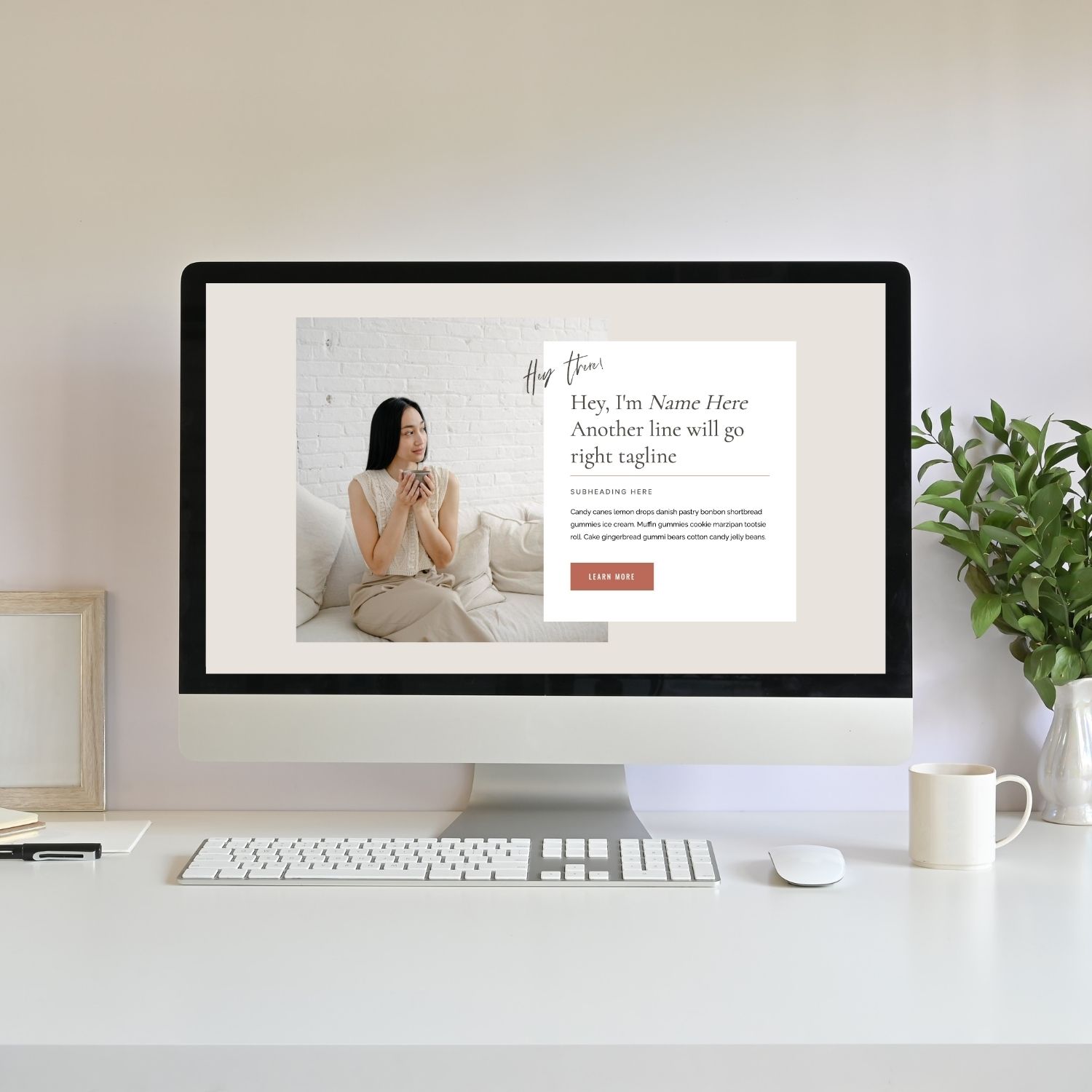
Building your branding for your websites and visuals can feel overwhelming when you’re just starting out, I know! Don’t worry, this post is going to help make it feel like a piece of cake! In this post I will walk you through a simple, realistic way to approach branding using Canva, a free design tool!
And if you prefer a done-for-you service, I help clients create cohesive brands, SEO strategies and website design that grows with your business! Learn more here: Website Design Services OR book a free consultation: Here.
TL;DR Overview
- How to learn graphic design using Canva starts with understanding visual branding
- Canva is enough to create beginner logos, brand boards, and website visuals
- Your brand really starts to come together when you apply it to visuals (like your website homepage)
- Many small businesses don’t need full agency branding to start, just cohesive visuals
Download Your FREE Cheat Sheet
The Plug-and-Play Blog Writing Prompts That Took My Traffic from 3K to 50K Impressions
This free cheat sheet will help grow your reach and visibility faster with AI prompts that will help you write each blog post faster and optimize it for SEO (Search Engine Optimization – think Google) and AEO (Answer Engine Optimization – think AI Search).
What Learning Graphic Design Using Canva Actually Means
Learning graphic design using Canva means learning how to visually communicate a brand: choosing colors, fonts, layout, and graphics that work together consistently across a website and marketing materials.
For beginners, Canva removes the technical barrier so you can focus on:
- visual clarity
- readable typography
- balanced color choices
- consistent branding
- simple logo creation
This is why Canva for graphic design beginners works so well, you’re learning how to bring together a visual identity for a brand.
When I first started designing websites, I assumed most clients would come with branding ready to go. Instead, I found the opposite. Many small business owners were still figuring out their visuals, and what they really needed wasn’t a complicated branding package; they needed a cohesive starting point they could actually use.
That’s where Canva quietly became part of my workflow.
Why I Had to Learn Graphic Design as a Website Designer
I didn’t set out to become a graphic designer. I simply needed a way to help clients move forward instead of getting stuck waiting for perfect branding.
Most of my clients came to me with:
- no logo
- no defined colors
- no typography system
- just a vision and a business idea
So I learned to create branding on Canva so I could design branding that worked inside a real website.
For many small online businesses, this approach isn’t just “good enough.” It’s exactly what they need to launch confidently.
And the reason I have been willing to create this simple branding for my clients using basic Graphic Design skills, was because I can totally relate! I run my own business, I do all of the things! When I first started I did not want to invest in branding nor did I have a clear idea of what I wanted my brand to be. Which is why the type of Graphic Design I do for my clients is the perfect starting point. It allows them to put their business out there, showcase their business in a way that feels aligned but doesn’t tie them down to a whole branding package that might not resonate 2 years down the road.
My Real Client Branding Process Using Canva
1. Start With a Brand Questionnaire
Before opening Canva, I always start with clarity.
A brand questionnaire helps define:
- brand personality
- audience
- messaging tone
- goals and positioning
Clients often think design starts with colors or logos. But this step shows them branding actually starts with understanding how they want their business to feel.
Just look at the two different brand boards below. You can easily see that each gives off a completely different feeling!


2. Use Pinterest to Visualize the Direction
Next, I have clients create a Pinterest board.
This helps us:
- spot visual patterns
- identify color preferences
- understand aesthetic direction
- align on overall vibe
Pinterest is powerful because it removes pressure; clients stop overthinking and start reacting instinctively.
Often, patterns emerge quickly, and suddenly the brand direction feels clear.
Having a Pinterest board makes a world of difference. Someone can describe something and the other person can visualize something completely different. Think of it this way, when I was a Hairstyle (way back in the day) a client could tell me they want “caramel” highlights and I could think of caramel as a different hue than what they imagine.
A Pinterest board removes any opportunity to see things differently; it keeps us on the same page!
3. Create a Mood Board + Brand Board in Canva
From there, I create:
- a mood board → visual inspiration
- a brand board → colors, fonts, and logo previews
This stage builds real Canva design skills for beginners, because it’s where visual harmony starts to form.
This is usually the first moment clients feel like their brand is becoming real, not just an idea.
But interestingly, this still isn’t where everything clicks.
4. Bring the Brand to Life on the Homepage
This is the step most DIY branding advice skips and where real design understanding happens.
I typically create one or two homepage variations using:
- different color applications
- font combinations
- layout structures
- logo placements
Because a brand board looks nice… but a website homepage shows how everything actually looks together.
Seeing the brand applied across a full website suddenly makes it real! Small color boxes side by side with brand colors is completely different than seeing them together on a full screen!
This stage is often where clients say, “Okay… now it finally feels like my business.”
I personally love this step because it gives the client a lot of clarity! Sometimes clients have an idea of colors they want but when they see them together on a Homepage they realize it doesn’t give the feeling they thought it would. I often modify colors when I’m creating the website, sometimes just by reducing the opacity. This is the fun part when I get to play and really take their branding to the next level!
5. Create Simple Logos Using Canva Templates
For graphic design specifically, I usually create:
- a wordmark logo for website navigation
- a secondary logo using Canva templates
Wordmarks tend to work best online because they’re:
- readable
- flexible
- clean inside menus
Templates speed up the process, but the real work is refining spacing, typography, and balance. Use your brand color palette and your own fonts to really personalize the logos. I do want to mention that with Canva, you cannot trademark your log as it’s not a fully custom design; just something to be mindful of!
6. Create Supporting Graphics + Icons
Sometimes I also create:
- icons
- small brand graphics
- section visuals
These tiny pieces often make the brand feel polished and cohesive across:
- website pages
- blog graphics
- social visuals
This small step helps you bring more personalization into your brand. And Canva is honestly so great, it has so many different options for you to choose from and personalize! Play around with their graphic icons to find the ones that work best for your business!
7. Deliver Assets So the Brand Stays Cohesive Everywhere
Finally, I share all assets with the client:
- logos
- colors
- fonts
- icons
- graphics
This allows them to maintain consistency across all of the platforms they use.
For many early-stage businesses, this level of branding is more than enough to start showing up confidently online.
And Canva makes that possible.
Can Canva Be Used for Professional Design?
Yes, can Canva be used for professional design depending on the stage of business.
For many small online brands, Canva can absolutely handle:
- logos
- website visuals
- blog graphics
- lead magnets
- marketing materials
Canva is a great place for you to start. But overtime as your business evolves you may want to invest in a brand that’s completely customized!
FAQ
Is Canva good for learning graphic design?
Yes. Is Canva good for learning graphic design because it simplifies technical steps so beginners can focus on visuals instead!
Do professional designers use Canva?
Yes. Professional designers can use Canva for quick graphics, templates, and client-friendly visuals.
Is Canva enough to start graphic design?
Yes. Is Canva enough to start graphic design for beginner branding and online visuals.
How do beginners start graphic design?
Learn the basic principles of design, study examples, and practice on real projects.
TL;DR Recap
- How to learn graphic design using Canva is really about learning branding visually
- Canva is enough to create beginner logos, brand boards, and graphics
- Real learning happens when visuals are applied to real projects like a homepage
- Many small businesses don’t need complex branding to start, just cohesive visuals
You’ll also love…
How to Make a Moodboard for Your Brand (Why It Matters + What to Include)
Personal Branding for Solopreneurs: A Simple 5 Step System That Grows With You
How to Grow an Online Business Without Becoming a Social Media Influencer
The Truth About Starting an Online Business for Introverts
How to Blog Consistently Without Stress: The Cozy Creator’s Guide
Liked this post? Pin it to Pinterest! 👇


